
A professional self-service home for every client.
Give clients one secure place to review and accept estimates, sign documents, pay invoices, follow projects and send new requests. Fewer emails for you, a better experience for them.
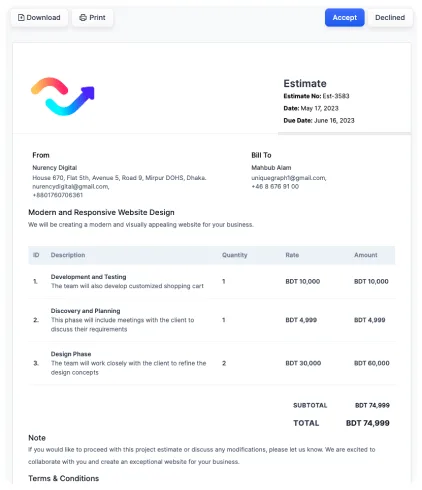
Invite clients in one click.
Turn on Client Portal Access when you add or edit a client. They receive an email with their login details and a link to their own workspace.
- Toggle portal access per client
- Automatic credentials email
- Secure, private workspace per client
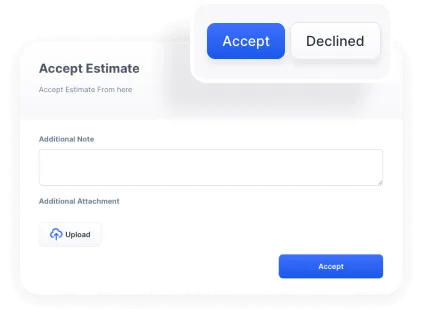
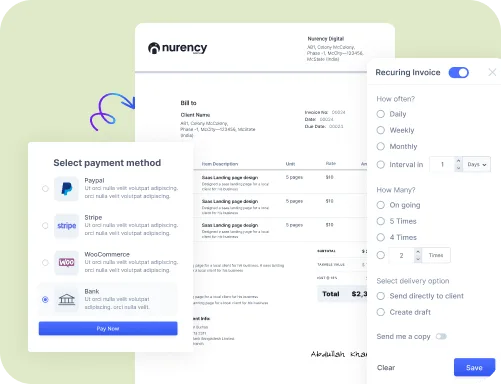
Estimates approved and invoices paid, faster.
Clients see every estimate and invoice in one dashboard, accept proposals with a single click and pay online by ACH, card, PayPal or Stripe. They always know what they’ve paid and what they owe.
- One-click estimate approval
- Pay invoices online
- Clear paid and outstanding balances
- Invoice and estimate history
Keep every conversation in one place.
Discuss projects with clients and your team, share notes and files, and respond to questions, requests and feedback without digging through email threads.
- Client and team discussions
- Shared notes and files
- Internal messages for your team
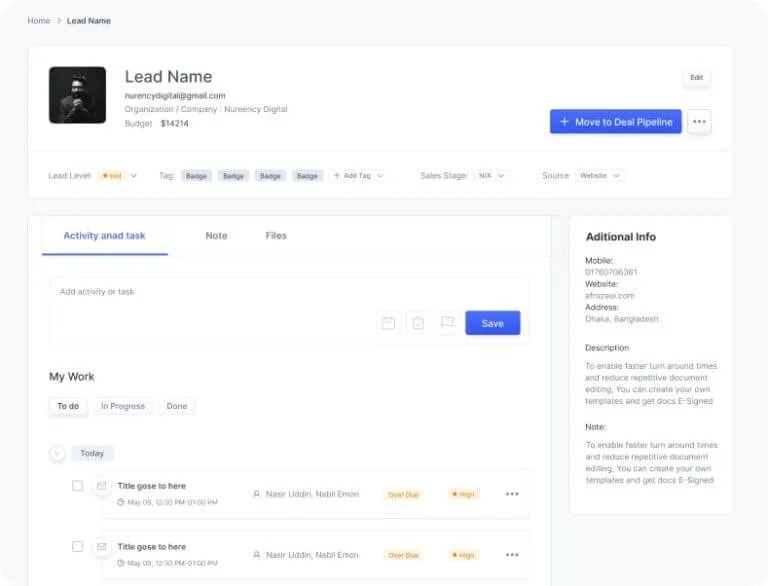
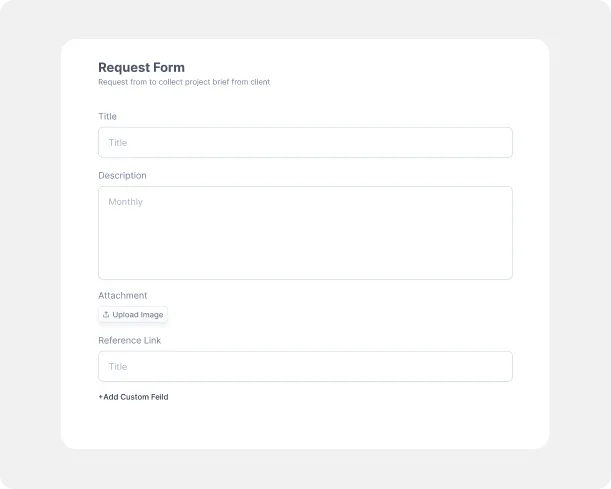
New work flows straight into your pipeline.
Clients can submit custom project requests from their portal. Each request lands in your deal pipeline, ready to qualify, quote and win.
- Custom project request forms
- Requests appear in your deal pipeline
- Order service packages online
Everything works together
Every feature shares the same clients, deals and documents, so nothing gets re-typed and nothing slips through the cracks.
How do clients access the portal?
Enable Client Portal Access on the client’s record. They’ll receive an email with their credentials and a link to their workspace.
What can clients do in the portal?
Review and accept estimates, sign documents, view and pay invoices, follow projects, message your team and submit new project requests.
Is there an extra charge for the portal?
No. The client portal is included in every plan, for unlimited clients.
Can I white-label the experience?
Yes. White-label functionality is available across all features.
Impress every client.
Give your clients a branded portal for estimates, signatures and payments. Free for 30 days.