User Guide / Invoices
To Edit Invoice Setting just go to Dashboard
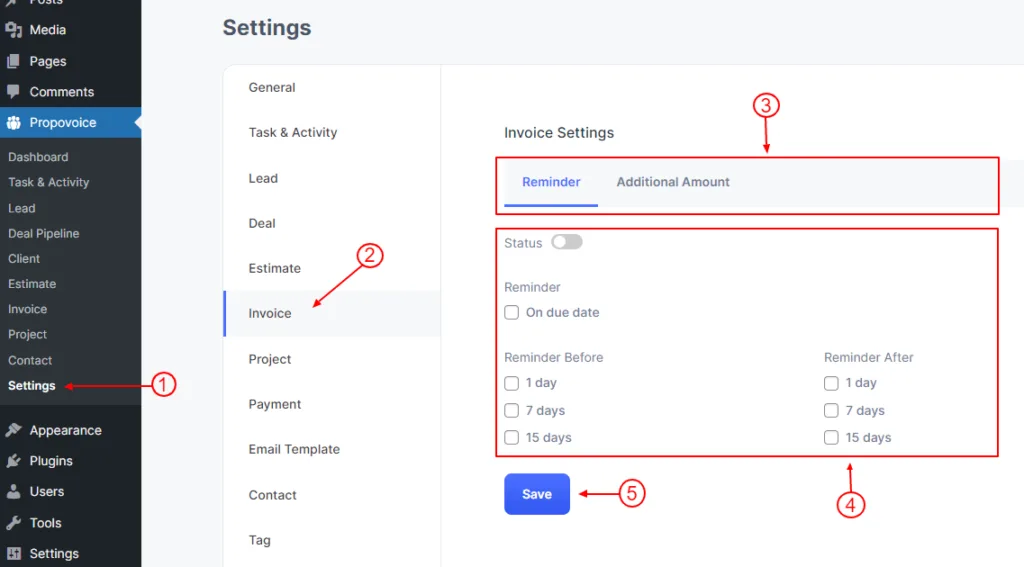
- Click on Propovoice > Settings
- Click on the Invoice tab
- Click on the Sub tab which section you want to change
- Change your setting from here.
- Click on the Save button.

User Guide / Invoices
To Edit Invoice Setting just go to Dashboard