User Guide / Settings
To Edit Business just go to Dashboard
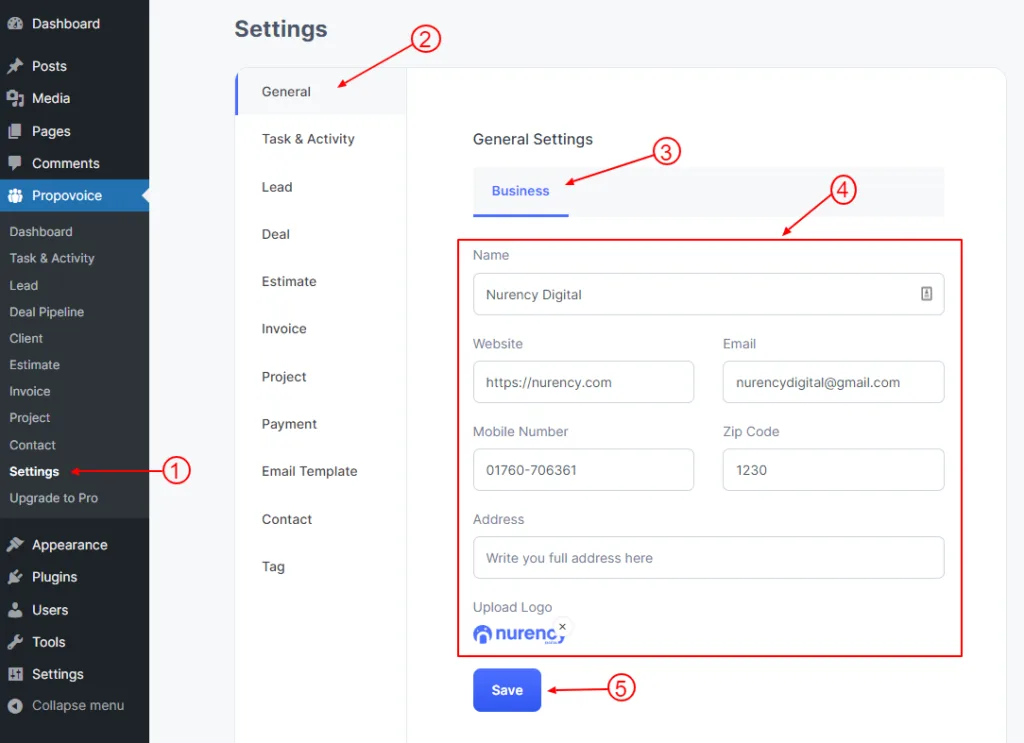
- Click on Propovoice > Settings
- Click on the General tab
- Click on the Business tab
- Fill up or change your Business info from here.
- Click on the Save button.

User Guide / Settings
To Edit Business just go to Dashboard